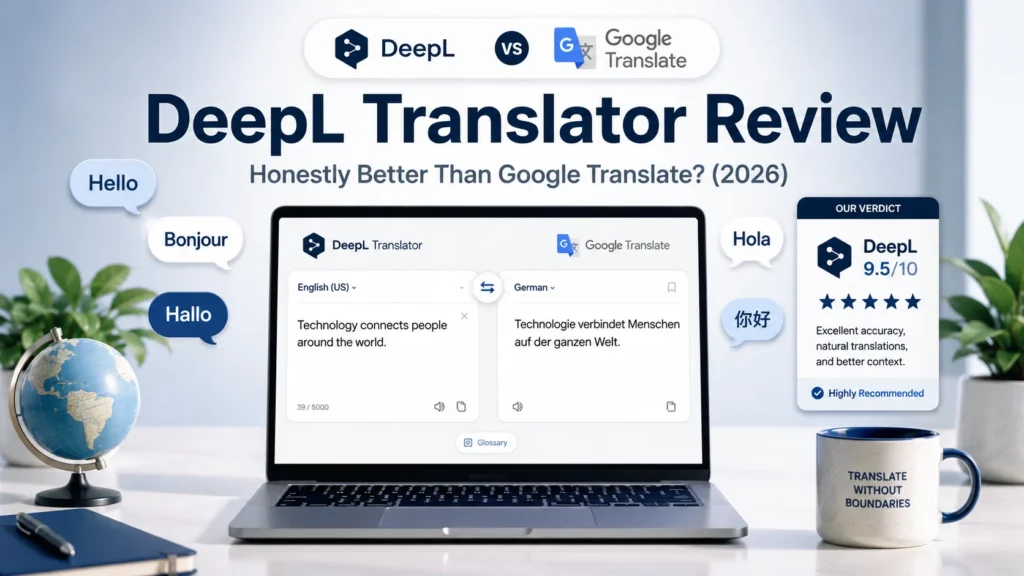
Most people reach for Google Translate without thinking about it. It is fast, free, and already built into the browser. For a quick word lookup or a rough idea of what a sentence means, it does the job.
But if you use translation as part of real work — translating content, understanding documents, producing text that actually needs to read naturally in another language — Google Translate has a ceiling. And once you hit that ceiling, DeepL is what comes next.
This DeepL translator review covers everything I have learned from regular use in my content and development workflow. I will tell you exactly what makes it different, what the free version gives you, and whether the Pro upgrade is worth paying for.
DeepL Translator: Quick Overview
| Feature | Google Translate | DeepL Free | DeepL Pro |
|---|---|---|---|
| Translation accuracy | Good | Excellent | Excellent |
| Inline word alternatives | No | Yes | Yes |
| Supported languages | 100+ | 31 | 31 |
| Document translation | Yes (limited) | Yes (limited) | Yes (limited) |
| Character limit per request | 5,000 | 1,500 | Unlimited |
| Price | Free | Free | From ~€8/month |
| API access | Yes | No | Yes |
| Best for | Quick casual lookups | Quality translation | Professional use |
What Is DeepL?
The DeepL translator is an AI-powered translation tool built specifically for accuracy and natural-sounding output. Unlike tools that translate word by word, DeepL analyses full sentences and paragraphs to understand context — then produces a translation that reads the way a human would actually write it.
The result is translated text that does not feel translated. That distinction matters more than it sounds.
The Feature That Sets DeepL Apart
When I first used the DeepL translator, the accuracy was immediately noticeable. But the feature that genuinely surprised me — and that I have not found in any other translation tool — is the inline word alternative system.
Here is how it works: after DeepL translates your text, you can click on any individual word in the result. A small menu appears showing alternative word choices that fit the same context. You can swap the original translation for a more precise option, a more formal one, or a more natural-sounding equivalent — depending on what your specific text needs.
Google Translate does not do this. You get one translation and you work with it. DeepL gives you the translation plus editorial control over every word.
For content creators, this is genuinely useful. A sentence might translate correctly but use a word that feels slightly off for your audience or tone. With DeepL, you can fix it in seconds without rewriting the whole thing manually.
DeepL vs Google Translate: The Real Difference
In any honest DeepL translator review, both tools deserve fair comparison — I use Google Translate for quick lookups, when I need a rough idea of something fast, and DeepL when the translation needs to actually work in a real piece of content.
The accuracy gap is real and consistently noticeable. Google Translate has improved significantly over the years, and for casual use it is perfectly adequate. But for sentences with nuance, technical vocabulary, or idiomatic expressions, DeepL produces results that require far less manual correction.
The difference shows most clearly in longer texts. A single sentence, Google Translate and DeepL often produce similar quality. A full paragraph or a longer document is where DeepL’s contextual understanding creates a meaningfully better output.
If you are producing content — articles, product descriptions, website copy, emails — that needs to read naturally in another language, DeepL is the right tool. If you just need to understand what a message says in a language you do not speak, Google Translate is fast and sufficient.
DeepL Free vs Pro: What You Actually Get
The free version of DeepL is what I use, and I want to be honest: for most content creators, it is enough.
The free tier translates up to 1,500 characters per request. For individual paragraphs, short texts, and regular content work, that limit is rarely a problem in practice. You can translate multiple times without restriction — the cap is per request, not per day.
What the free version does not give you is unlimited document translation, API access, or the ability to translate very long texts in a single pass. For professional translation services, agencies, or developers building translation into their products, Pro is the right choice.
For a solo content creator translating passages, emails, research sources, or occasional documents — the free version handles the workload. My honest advice: start free, use it in your real workflow for a few weeks, and upgrade only if you regularly hit the character limit or need document translation at scale.
DeepL Pro starts at around €8 per month depending on your region, which is reasonable if you genuinely need the additional features.
DeepL’s Supported Languages
One honest limitation worth knowing: DeepL supports 31 languages, compared to Google Translate’s 100+.
For most Western European languages — English, French, Spanish, German, Italian, Portuguese, Dutch, Polish — DeepL is excellent. If your work involves languages outside that set, particularly Asian, African, or less common languages, Google Translate may be your only option.
For the languages DeepL covers, it is the better tool. For everything else, Google Translate fills the gap.
How DeepL Fits Into a Content Creator’s Toolkit
I include DeepL in my list of best AI tools for content creators because it solves a specific problem better than any alternative — and it does so with a free tier that costs nothing to try.
If you create content for international audiences, work with source material in other languages, collaborate with people who write in a different language, or simply want to understand what you are reading without relying on a rough machine translation — DeepL belongs in your workflow.
It works alongside tools like Perplexity AI for research, where you might encounter sources in other languages that need to be understood accurately before you can use them. The combination of deep research and precise translation covers a lot of ground that neither tool handles alone.
Who Should Use DeepL
The DeepL translator is the right choice if you:
- Translate content that needs to read naturally, not just literally
- Work with multiple languages regularly as part of content creation
- Want editorial control over translated word choices
- Need accurate translation of technical, professional, or nuanced text
- Are happy with the free tier for regular content work
Who Can Stick With Google Translate
Google Translate is sufficient if you:
- Need quick, casual translation for personal understanding only
- Work with languages DeepL does not support
- Translate rarely and only need a rough sense of meaning
- Are already using Google Workspace and want everything integrated
Frequently Asked Questions
Is the Deepl translator better than Google Translate? For accuracy and natural-sounding output in the languages it supports, yes. DeepL consistently produces translations that require less manual correction than Google Translate, particularly on longer or more nuanced text. For quick casual lookups or unsupported languages, Google Translate remains a useful alternative.
Is DeepL free to use? Yes. DeepL has a fully functional free tier that handles up to 1,500 characters per translation request with no daily limit. Document translation and API access require a paid Pro plan, but for regular content translation the free version is genuinely sufficient.
Is DeepL Pro worth it? For professional translators, agencies, or developers needing API access and unlimited document translation — yes. For solo content creators using it for occasional to regular text translation — the free version is enough. Upgrade when you consistently hit the character limit or need features the free tier does not include.
How many languages does DeepL support? DeepL currently supports 31 languages. This is significantly fewer than Google Translate’s 100+, but the quality within those 31 languages is noticeably higher. If your target languages are among the supported ones, DeepL is the better tool.
Can DeepL translate documents? Yes. Both the free and Pro versions support document translation. The free version has limits on file size and number of documents per month. Pro removes those limits. Supported formats include Word documents, PowerPoint files, and PDFs.
My Final Verdict: DeepL Translator Review
The DeepL translator is the tool I reach for when the quality of the output actually matters.
The accuracy is genuinely better than Google Translate for the languages it supports. The inline word alternative feature gives you editorial control that no other translation tool offers. And the free version is functional enough for the majority of content creators who need translation as a regular part of their workflow.
The limitations are real — 31 supported languages and a character cap per request — but for most European content work, those limits rarely create friction.
If you have never used DeepL and you work with multiple languages at all, the comparison with what you are currently using will be immediately obvious. It is free to try, takes thirty seconds to start using, and produces results that are worth the switch.
Josef Aaouam — Developer, web designer, and tool builder. I test tools as part of my real workflow and share honest verdicts at TriedTools.
Our guide Canva AI Features: My Honest Review of 4 Magic Tools (2026)